
Radar Leads: Protecting Businesses from Lost Website Enquiries
SaaS · Laravel 13 · JavaScript tracker Lost applications
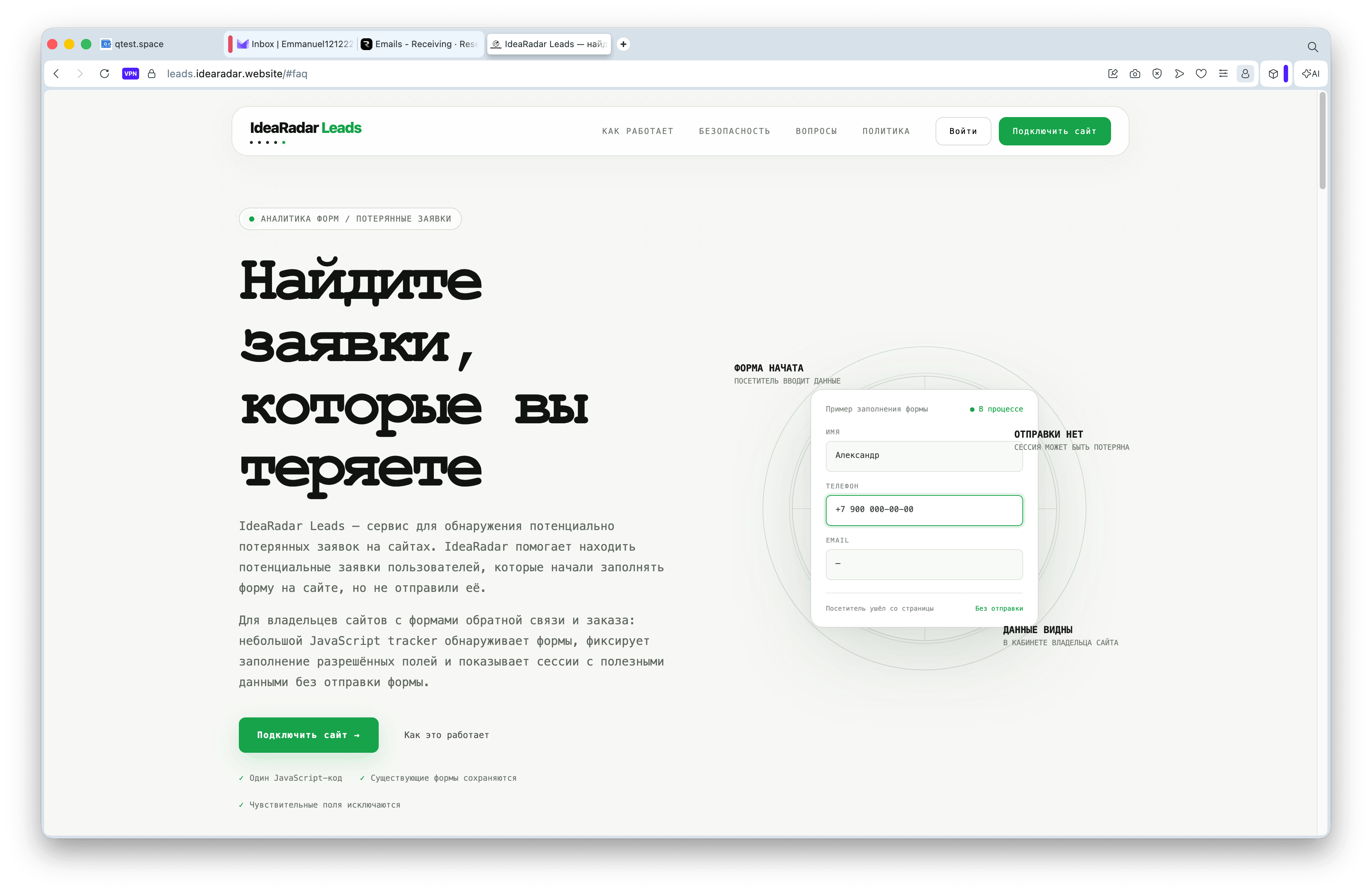
Developed by IdeaRadar Leads — service, which shows the owner of the site applications lost before submitting the form: the visitor began to enter a name, phone or email, but closed the page before clicking « SendZQ5QXZ. Normal CRM and web analytics do not see — sending event just did not happen.
Project and task
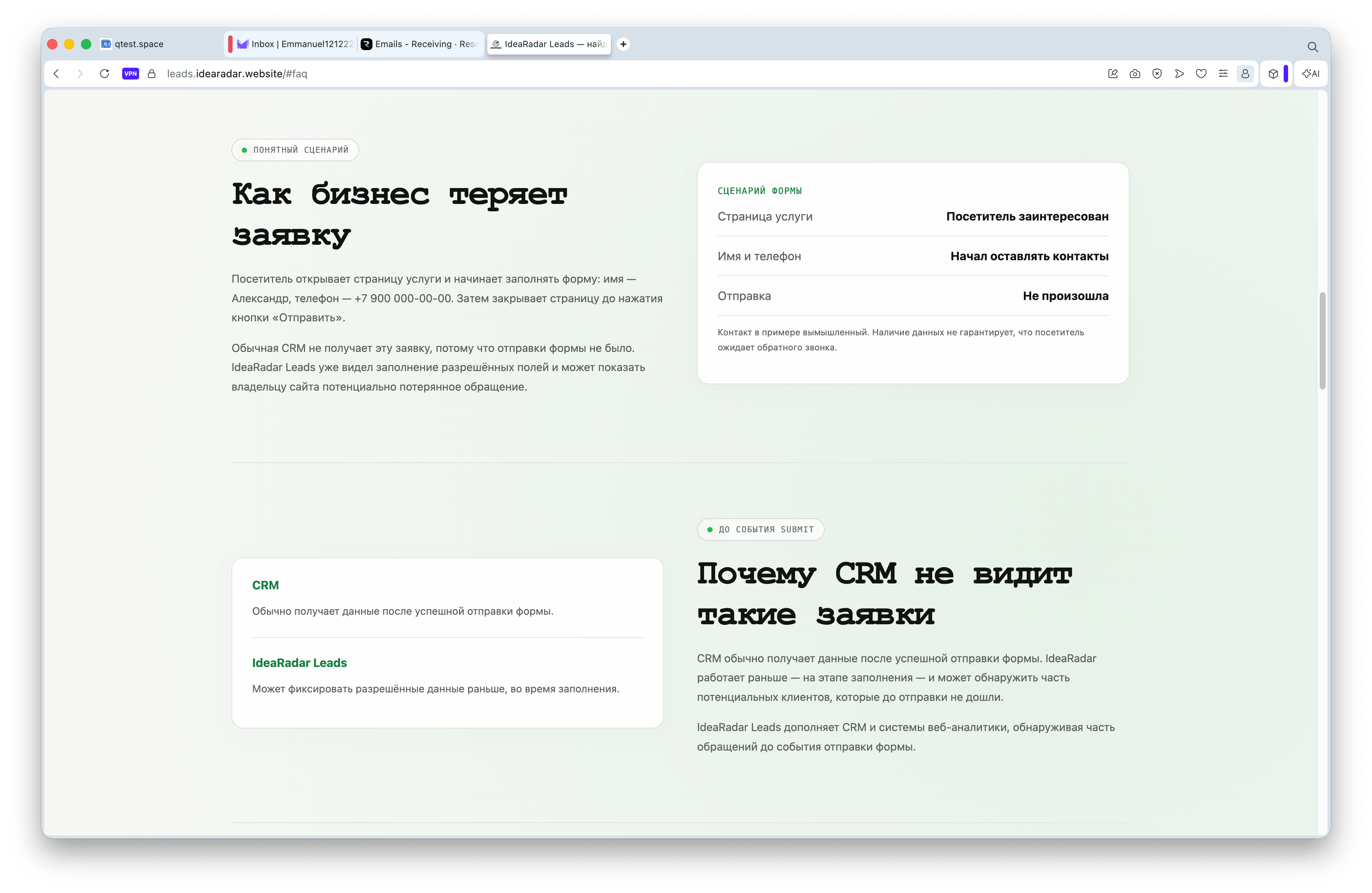
Sites with feedback forms have a blind spot: the person became interested, started filling out the — form and did not send it. The reasons are different: distracted, afraid of the number of fields, lost contact, doubted. For CRM and analytics, this session does not exist because the send event did not occur.
The task of — is to make a service that connects one JS snippet to any site, finds forms, fixes the allowed fields as you enter and shows such sessions to the site owner separately from the usual — applications without rewriting existing forms and without access to passwords and payment data.
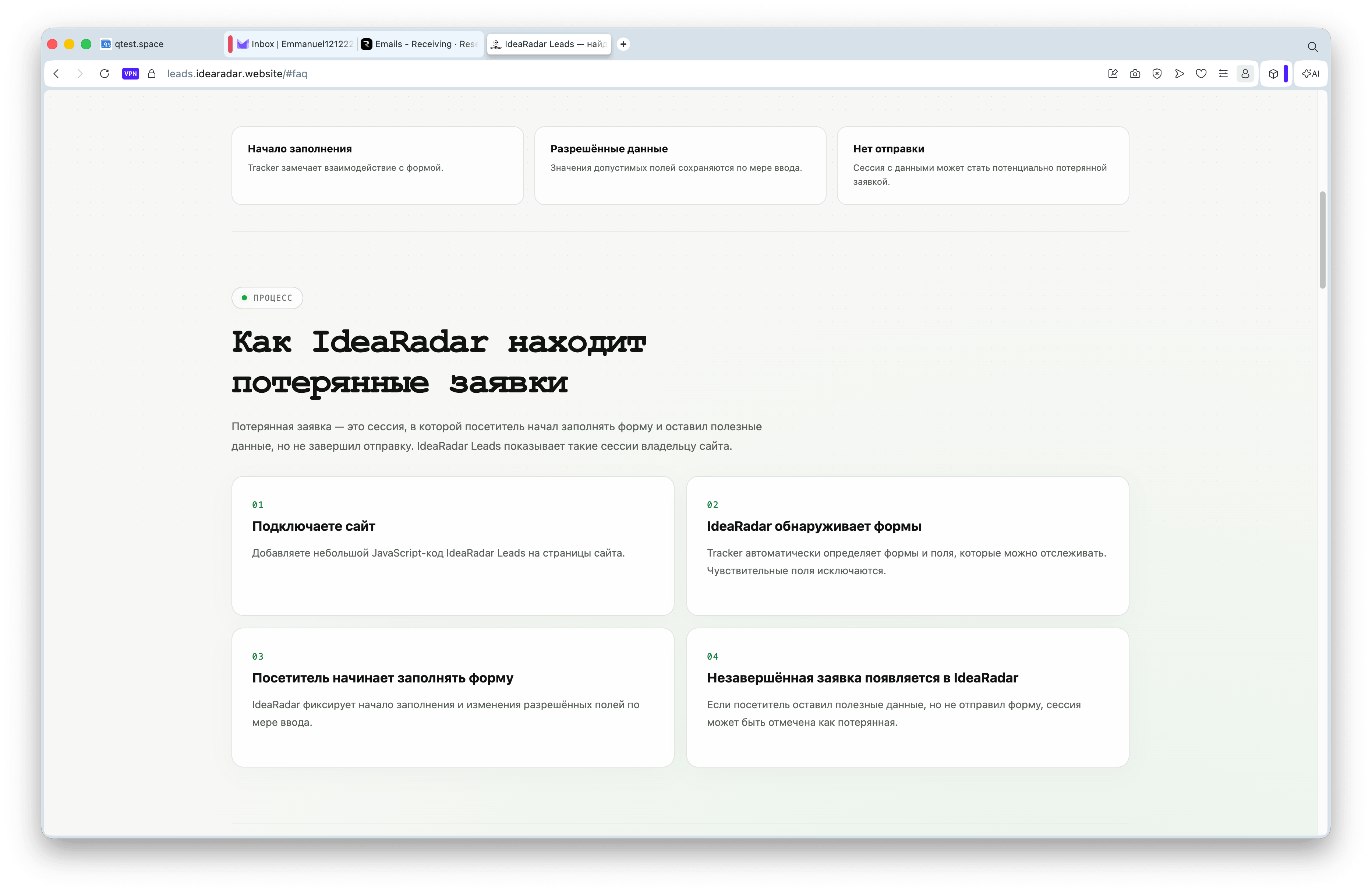
How it works.
Tracker on the client's website
One. <script defer> on data-site. The script itself finds the forms on the page, listens to the focus, changing the fields and sending and transmits events through sendBeaconwithout blocking the usual sending of the form.
Reception of events on the server
Three public endpoints — start session, field event pack and send confirmation. A separate CORS layer reflects Origin any connected site, and a real check « this site is allowed to write this data » is performed inside the controller site_key.
Lost bid
If the session did not show activity for a long time and did not reach the sending of —, the scheduled command transfers it to the status of « lost ». Returning the visitor to the form makes the session active again.
Sensitive data
Fields with passwords, cards and similar features are excluded from the recording at the tracker level and re-checked on the — server, the value does not enter the database, even if the frontend is mistaken.
What did I do?
1. Password free entrance
Only one-time authentication on email. In the database there is no column with the password — it can neither leak nor forget the user.
2. Check the connection without waiting for an event
» does not wait for the first visit of a real visitor: the server itself requests the main page of the site and searches for the tracker tag with the desired key in HTML. The — domain is user input, so IP is resolved before the request and private and service addresses are discarded, and the request is assigned to the verified IP so that DNS does not replace the address between the check and the request.
3. Limit sites with bypass for admin
The average user connects a limited number of sites; the check is done by a string-locking transaction so that a double click does not break the limit. — does not apply to the administrator in the form or on the server.
4. Impersonation for support
Admin can log in on behalf of the user to understand the issue of — support each input is written in a separate log with admin, purpose and time. It is impossible to enter on your own behalf or on behalf of another admin, nested impersonation is impossible by design.
5. Automatic statuses
Scheduled commands translate the active session without action to « lost », and the site without the events tracker long time — in « inactive ». Both transitions are reversible: any new activity returns the status of « active to ».
6. CORS separate from the rest of the application
The public API tracker serves arbitrary foreign domains, so it has its own CORS layer, which does not touch the configuration of the rest of the application. CORS here — is not a security border: it runs inside the controller, by coincidence of the domain and the site key.
Security and privacy
- User passwords do not exist as a — entity only code in email
- The owner sees only their sites and their applications: check — at the level of access policy, not just the interface
- Sensitive form fields are excluded from recording on the tracker side and again on the server
- server connection check resolute domain and discards private, loop and service addresses — protection from SSRF when requesting an arbitrary user domain
- each input of the administrator on behalf of the user is recorded in the Impersonation Log
Stack.
Backend
Laravel 13, PHP 8.3, MySQL. Access policies for each model, lock-line transactions for limits, scheduled commands for status changes.
Tracker and frontend
Own JavaScript tracker without dependencies sendBeacon For event delivery, Blade is a personal account interface without a separate SPA build.
Next.
Now the — site limit is a simple flat value without tariffs. The next step is — tariff plans instead of one threshold and more accurate rules « lost » session: not only timeout, but also the weight of the data entered.
Frequent questions
How is this different from the usual CRM?
CRM receives an application after successfully submitting the form. IdeaRadar Leads works earlier than — in the filling phase of — and shows some of the requests that did not reach the sending. It is an addition to the CRM, not a replacement.
Does the tracker slow down the client’s website?
The script connects with the attribute defer It does not block the loading of the page. Events are sent through sendBeacon In the background, therefore, do not delay the usual sending of the form.
What does the website owner see from the data entered?
Only the values of the allowed fields of the form he connected. Fields similar to password, payment data and the like are excluded from the record both on the tracker and again on the server.
Does the service store user passwords?
Nope. Entry is performed only by a one-time code on email, there is no column for a password in the database.
How to verify that the tracker code is actually installed?
By the button in the office, the server itself requests the main page of the site and searches for the tracker tag with the key of this site in HTML — without waiting for a live visitor. Before the request, it is checked that the domain does not indicate a private or business address.
What does the administrator do when imaging?
Temporarily enters on behalf of the user to understand the issue of support. The action is recorded in the Impersonation log, indicating who and when entered on whose behalf.
Need a similar service or integration?
Help design and build a SaaS product or tracker for a specific — task, from authentication and access policies to secure server integrations.
Related services and technical reading
Lead capture automationDiscuss the scope and approach for a similar task.
Lead processing automationDiscuss the scope and approach for a similar task.
API and marketplace integrationsDiscuss the scope and approach for a similar task.