
Internal Link Map: How to Find Linking Problems and Improve SEO
SEO · Website architecture · Internal links · MODX
A website can have useful articles, strong case studies and detailed services while still making readers work out the connections themselves. An internal link map reveals which pages receive contextual links, which depend on shared navigation and where the path from understanding a problem to finding help breaks down.
For ifreework.com, I built a custom analyser, separated editorial links from general navigation and added 401 links across 167 pages in the first editorial iteration. This article explains the process, results and limitations. The map and its data file remain publicly accessible.
Open the interactive internal link map →
Open the permanent JSON link dataset: page URLs, link types and anchor text, with no login required.
What an internal link map shows
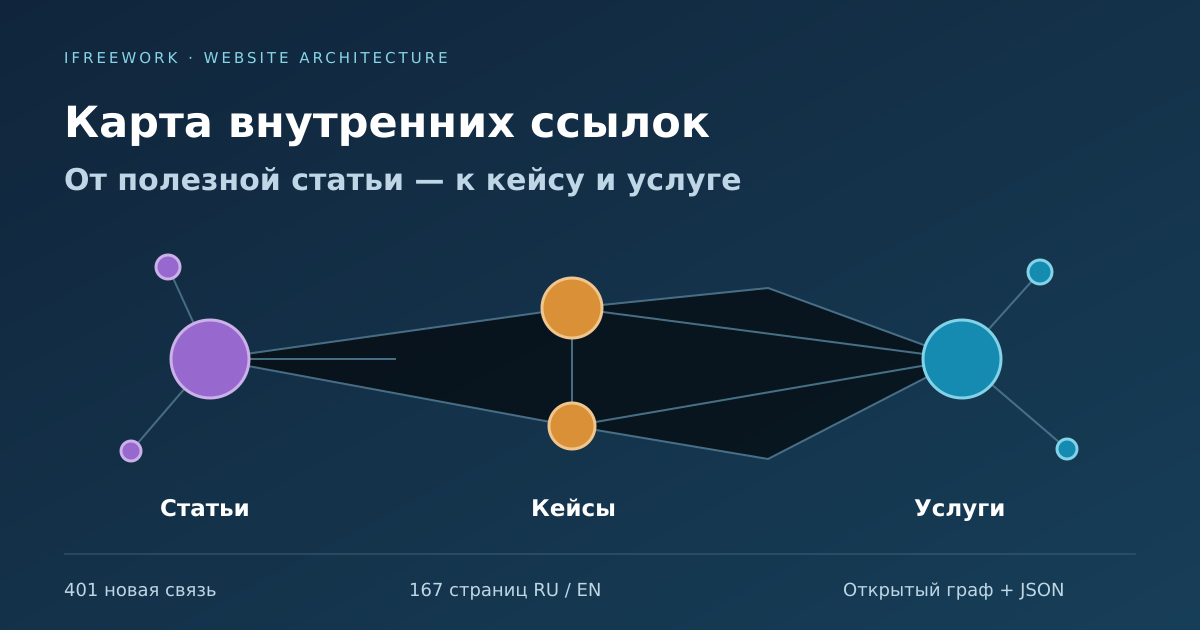
Each node represents a page; a directed connection represents a link from one page to another. An article linking to a case study creates one connection. If that case study links back, it creates a separate reverse connection. A node’s location on the diagram is not a search ranking.
A directory tree shows where a page belongs. A link graph shows how readers can reach it. A page deep in the URL structure may be one click away from a relevant article. A page near the root may receive no links from substantive content.
For a service website, a useful journey is article explains the problem → case study demonstrates an approach → service explains what help is available. Reverse links matter too: a service page should let readers explore evidence and technical details.
How internal linking helps readers and SEO
Internal links help people discover pages and understand their relationship. A visitor can move from a problem to a similar project and then to a service. A crawler can discover the destination and read the anchor text.
Google’s link guidance describes ordinary <a href="…"> elements, descriptive anchors and surrounding context. A graph image alone is insufficient, so the public map also includes a ready-made HTML directory with real links that work without JavaScript.
The map does not measure precise “SEO authority” or prove a ranking improvement. It reveals structural issues. Search outcomes need separate measurement through indexing, impressions, clicks and conversions.
Problems worth investigating
No incoming links
A published page has no incoming links within the audited set. Compare CMS records, sitemaps and crawl results to find candidates. Then determine whether the page is useful, archived, duplicated or unnecessary.
Navigation-only visibility
A page can receive many links from repeated sidebars while receiving none from articles or case studies. The headline count looks strong, but topical connections remain weak.
Disconnected sections
A service provides no case studies, an article offers no relevant next step, or a case study ends without a suitable service. These are opportunities for editorial review, not a requirement to force a link.
Broken or unnecessary destinations
Links may lead to 404s, intermediate redirects, obsolete URLs or pages not intended for indexing. Click depth and repeated anchor text can help prioritise investigation.
How I collected the ifreework.com data
- Compare multiple sources.
I combined RU/EN sitemaps with open published MODX documents in services, blog and portfolio, then checked additional URLs discovered in links. A crawl from the homepage alone cannot reliably identify every unlinked page.
- Normalise URLs.
I normalised the primary domain and HTTPS, checked canonical URLs and redirects, and did not treat parameters or fragments as separate nodes in this analysis. Other sites may need different rules because parameters can define distinct pages.
- Separate link placements.
Main content, related reading, directories, breadcrumbs, menus, sidebars and footers are separate layers. Repeated navigation therefore does not hide a lack of editorial connections.
- Filter the public dataset.
Service URLs, errors, noindex pages and individual gallery pages are excluded from the public map. A published CMS record is not automatically a page worth promoting.
- Review suggestions editorially.
Topic and technology matches were candidate signals. I selected 106 of the original 475 automated suggestions and chose another 295 links based on the pages’ actual purposes. Shared words such as AI, API or TON do not establish relevance by themselves.
Why I did not apply every suggestion automatically
An economic simulator may use Python, MCP and AI agent tools. That does not make every AI integration service the right next step for its reader. For the FIGHTEX Economic Simulator, the first relevant service connection was tokenomics and economic model auditing. MCP development provides a separate technical context.
I used the same approach for payment articles and financial logic, CRM cases and business automation, PHP compatibility articles and related upgrade work. Link wording must not imply that the source project used an unverified technology.
I also checked existing links separately for Russian and English. Their content and existing destinations differ, so copying the same additions blindly would introduce duplicates.
Results of the first iteration
The following structural figures describe the Russian version when the 401 new links were published on 23 October 2026. They count main-content and related-reading links, excluding menus and sidebars.
| Observation | Before | After |
|---|---|---|
| Services without a link to a case study | 7 of 32 | 0 of 32 |
| Articles without a link to a specific service | 11 of 29 | 6 of 29 |
| Case studies without a link to a specific service | 25 of 46 | 19 of 46 |
In English, services without a case-study link fell from 18 to 0. I did not close every other gap merely to improve the report: some pages were old or incomplete cases, utilities, or materials without a sufficiently relevant service on the site.
This measures a change in website structure. It does not measure traffic, rankings or lead generation.
Using the public map
- Open the internal link map and select a language, page type or topic.
- Search for a service, article or case study by title, URL or technology.
- Select a node to inspect incoming and outgoing links with anchor text.
- Enable layers separately: start with content and related reading, then add directories and shared navigation.
- Use the observations tab to identify pages worth reviewing. A missing connection is not an instruction to add a link regardless of relevance.
- Use the HTML directory at the bottom for ordinary browsing, or download the permanent JSON dataset for another analysis.
The map is read-only. Visitors can filter, inspect and download data. There are no editorial decisions, link-editing forms or publishing actions in the interface.
How this differs from sitemap.xml
A sitemap lists URLs offered to search engines for discovery. A link dataset describes relationships: source, destination, anchor and placement. The graph makes these relationships easier to inspect, while the HTML directory provides actual navigational links.
The tools complement each other. The public map is included in the sitemap and linked from this article. Its JSON file remains available after the work is complete. As Google’s sitemap documentation explains, sitemap inclusion helps URL discovery but does not guarantee crawling or indexing.
Maintaining internal links
- When publishing, select relevant articles, case studies and services, and find existing pages where the new material would help readers.
- When changing a URL, update internal links and check redirects, canonical tags and the sitemap.
- After another crawl, compare incoming links, click depth, errors and relationships between sections.
- Evaluate search impact separately using Search Console and analytics over comparable periods, allowing for other website changes.
Related technical examples include the MODX upgrade and PHP compatibility article and the iQ-centre technical preparation case for AI search.
Frequently asked questions
How many internal links should a page have?
There is no universal count. Choose links that help the reader’s task. The new blocks in this iteration contained one to four links; that was an editorial choice for these pages, not an SEO rule.
Should every unlinked page be promoted?
First establish its purpose. Archives, duplicates, gallery pages and utilities do not necessarily need links from core materials.
Why is the menu insufficient?
Menus help readers move between sections. Contextual and related-reading links explain relationships between particular materials, so they should be analysed separately.
Can similar pages be linked automatically?
An algorithm can generate candidates. Relevance, wording and project facts still need editorial review.
Can crawlers discover the links without JavaScript?
The public page includes an HTML directory with ordinary links. Executing the graph code is unnecessary for discovering those URLs. Accessibility does not guarantee indexing.
Is the JSON file deleted after analysis?
No. links.json remains at its permanent public URL. A subsequent crawl updates its contents and the map.
Can visitors edit the website through the map?
No. The public interface supports viewing, filtering, selecting pages and downloading data. Website changes happen separately.
Does a better graph prove an SEO gain?
No. The graph describes link structure. Measuring search impact requires indexing, impression and click data over comparable periods.
Open the ifreework.com internal link map · Permanent JSON dataset